 how-to
Peptide Chromatography Troubleshooting: 2026 Fixes
Table of Contents
- Start With the Symptoms: A Chromatography Troubleshooting Map
- Peptide Chromatography Peak Tailing: Causes and Fixes
- Poor Peptide Separation HPLC: When Peaks Overlap
- HPLC High Backpressure Troubleshooting: Finding the Blockage
- Peptide Recovery After HPLC: Where Sample Goes Missing
- A Step-by-Step Troubleshooting Workflow for Your Lab
- Preventing Repeat Problems: Supplier and Sample Handling
- Conclusion
- Frequently Asked Questions
Last Updated: October 14, 2026
Start With the Symptoms: A Chromatography Troubleshooting Map
Troubleshooting common peptide chromatography issues starts with the symptom, not the method. A tailing peak, overlapping peaks, rising pressure, and lost sample each point to a different root cause.
Peptide chromatography is the separation of peptide mixtures by passing them through a packed column so each compound elutes at a different time based on its interaction with the stationary and mobile phases.
Most guides treat each fault as a standalone problem. That is backwards. The symptom tells you where to look first.
Here is the map we use:
| Symptom | Likely Cause | First Fix | Watch For |
|---|---|---|---|
| Peak tailing | Mobile-phase pH, active silanols | Buffer at pH 2-3 | Column age |
| Poor separation | Shallow gradient | Extend gradient time | Overloaded column |
| High backpressure | Blocked frit or precipitate | Swap inline filter | Column temperature |
| Low recovery | Adsorption to glassware | Silanized vials | Sample prep loss |
Below, we walk through each one.
Peptide Chromatography Peak Tailing: Causes and Fixes
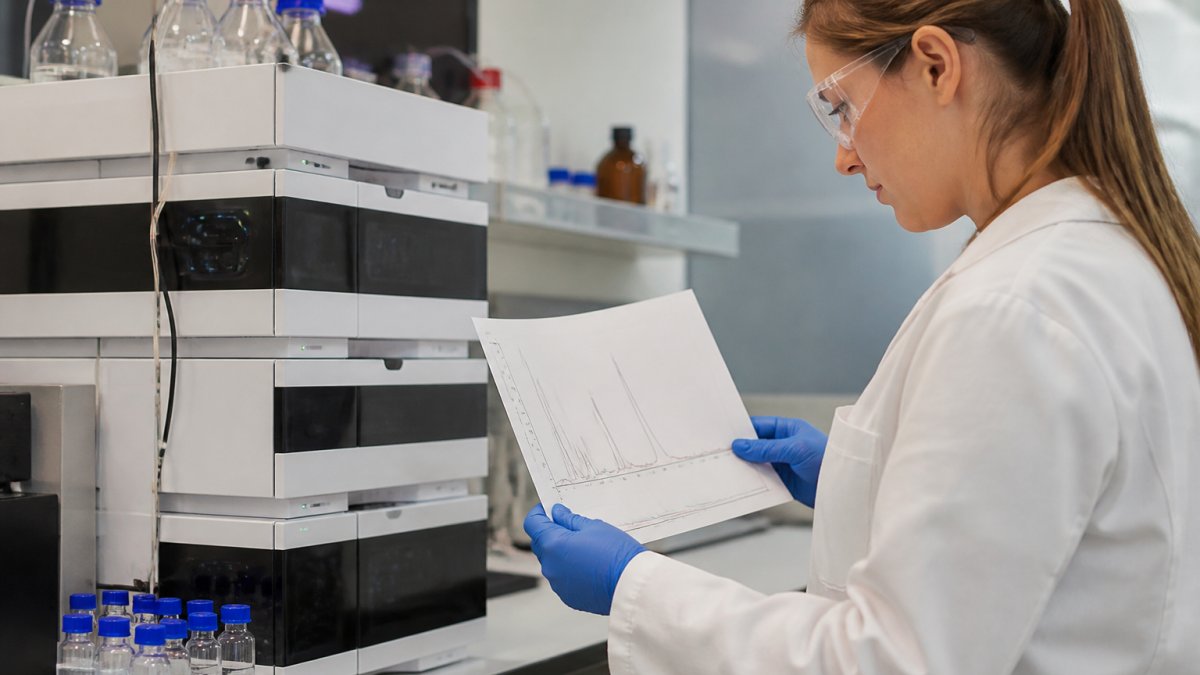
Peak tailing means your peptide sticks to the column longer than it should. The peak front comes out on time, but the back drags. In practice, this almost always traces to mobile-phase pH or exposed silanol groups on the column.
Mobile-Phase pH and Buffer Choice
Run your mobile phase at pH 2 to 3 for most peptides. At this pH, silanol groups stay protonated and lose their grip on basic residues. Trifluoroacetic acid remains the standard ion-pairing agent for this reason.
A common mistake is running near neutral pH. That wakes up the silanols and produces heavy tailing.
Column Condition and Endcapping
Endcapping covers leftover silanols after the stationary phase is bonded. A well-endcapped C18 column tails far less than an old or poorly capped one.
Check the column's age and batch. If tailing appears on a new method with a new column, the pH is usually the culprit. If it appears on a column that ran clean for months, the column is likely the problem.
Poor Peptide Separation HPLC: When Peaks Overlap
Poor peptide separation HPLC shows up as merged or overlapping peaks. The compounds are there, but the column cannot resolve them. Gradient shape is the first lever to pull.
Gradient Adjustments That Sharpen Resolution
A shallow gradient gives peaks more time to separate. If two peaks co-elute, slow the gradient in that region.
Try these changes in order:
- Extend total gradient time by 20 to 30 percent
- Reduce the slope where the peaks overlap
- Lower column temperature slightly to tighten selectivity
- Cut injection volume if the column is overloaded
Overloading is the hidden cause here. What most guides miss is that a column can look fine and still be overloaded. Too much sample mass overloads the stationary phase and broadens every peak.
HPLC High Backpressure Troubleshooting: Finding the Blockage
High backpressure is a symptom with a location. The goal is not to guess at the cause but to isolate where along the flow path the restriction sits, then fix only that segment. A systematic approach saves columns and time.
Establish a Baseline Before You Troubleshoot
You cannot diagnose high pressure without knowing what normal looks like for your method. Record the system pressure at your standard flow rate and mobile-phase composition on a clean column, and log it with every run.
Pressure scales roughly linearly with flow rate and inversely with temperature. Before chasing a blockage, confirm that flow rate, column temperature, and mobile-phase composition match the method. A cold column or a viscous mobile phase can mimic a partial blockage.
Localize the Restriction Step by Step
Work from the pump toward the detector, isolating one segment at a time:
- Disconnect the column and run mobile phase through the system alone. If pressure is still high, the restriction is in the pump, injector, tubing, or inline filter, not the column.
- Replace the inline filter. This is the cheapest and most common fix. It catches particulates before they reach the column and clogs first.
- Swap the guard column. It protects the analytical column and absorbs the brunt of sample debris. A guard column that has run hundreds of injections is a frequent culprit.
- Test the analytical column alone. If pressure is high with the column connected but normal without it, the frit or the packed bed is the problem.
Reading the Pressure Signature
The shape of the pressure trace tells you what kind of blockage you have:
- Sudden step increase, a discrete event, such as a particle lodging in the frit or a precipitated salt plug.
- Gradual rise over many injections, cumulative fouling from sample matrix, buffer precipitation, or column aging.
- Pressure spikes that track the injection, sample-related, often unfiltered particulates or a sample solvent that is too strong for the mobile phase.
- Pressure that rises only at high organic content, buffer precipitation at the mixing point, common with phosphate buffers and high acetonitrile.
Common Sources of Blockage
- Precipitated buffer salts from an incorrectly mixed or incompatible mobile phase
- Sample particles that were never filtered before injection
- Bacterial growth in aqueous mobile phases left standing at room temperature
- Column bed compression from repeated high-pressure events
- Seal or piston wear shedding particles into the flow path
When to Backflush and When to Replace
Backflushing can dislodge a frit blockage, but only if the column manufacturer permits it and only at reduced flow. Reversing flow on a column not rated for it can push the packed bed out of the outlet frit and destroy the column permanently. If backflushing does not restore baseline pressure within a short run, replace the column rather than risk damaging the system.
Peptide Recovery After HPLC: Where Sample Goes Missing
Low recovery means the mass you injected did not come out in the fraction you collected. The peptide did not disappear, it either stuck somewhere in the system, eluted outside your collection window, or was never fully injected. Diagnosing which one requires separating the loss mechanisms.
The Four Places Peptide Mass Goes
1. Adsorption to surfaces. Hydrophobic and basic peptides cling to stainless steel, glass, and some plastics. This is the most cited cause, but it is not the only one.
**2.
3. Fraction timing. If collection starts too late or the fraction volume is too small, you miss the front of the peak, where most of the mass sits.
4. Column retention. A peptide that is too hydrophobic for the gradient may not elute at all within the run window, or may elute in the wash step after collection has stopped.
Diagnosing Which Mechanism Is at Play
Run a recovery check with a known standard before troubleshooting a real sample:
- Inject a known amount of a representative peptide standard.
- Collect the full peak and quantify by UV or a validated assay.
- Compare recovered mass to injected mass.
If recovery is low even for the standard, the problem is in the system or method, not the sample. If recovery is fine for the standard but low for your sample, the issue is sample-specific, likely adsorption or solubility.
Fixes by Mechanism
For adsorption:
- Use silanized glassware or low-binding polypropylene tubes for collection
- Pre-rinse collection vials with the same solvent used in the mobile phase
- Add a small amount of organic solvent or ion-pairing agent to collection tubes
- Avoid transferring samples between multiple containers
For injection solvent mismatch:
- Dissolve the sample in a solvent weaker than or equal to the starting mobile phase
- Reduce injection volume if the sample solvent cannot be changed
- Consider a larger injection loop with a weaker solvent rather than a small loop with a strong solvent
For fraction timing:
- Collect in smaller volumes across a wider window
- Use peak-based fraction collection if your system supports it
- Verify the delay volume between the detector and the fraction collector, this is a common source of missed mass
For column retention:
- Extend the gradient to a higher organic percentage
- Add a wash step at high organic after the gradient
- Confirm the peptide is not precipitating on-column at the starting conditions
Confirm Recovery with a Standard Injection
After any change, re-run the standard and compare recovery. A recovery check is the only way to know whether your fix worked. Keep the standard injection as part of your method validation so you have a documented baseline.
A Step-by-Step Troubleshooting Workflow for Your Lab
Run this workflow when a peptide chromatography run fails. It moves from the cheapest fix to the most expensive, so you do not replace a column you did not need to replace.
- Record the symptom: tailing, overlap, pressure, or low recovery
- Check the mobile phase: pH, fresh buffer, correct mix
- Swap the inline filter and guard column
- Run a standard to confirm the system is clean
- Adjust the gradient if peaks overlap
- Inspect the column if pressure or tailing persists
- Document the fix so the next run benefits
How long does this take? Most steps take under 30 minutes. A full diagnostic run takes about two hours.
Preventing Repeat Problems: Supplier and Sample Handling
Prevention beats troubleshooting. Most repeat failures trace to sample handling or to the starting material itself.
Store peptides dry and cold. Reconstitute in the correct solvent and filter before injection. Log every buffer batch so you can trace a bad run back to its source.
Supplier quality matters here. A peptide that arrives with poor purity will fight you on every run.
For methods that need to meet documentation standards, the FDA guidance on analytical method validation is worth reading alongside your internal SOPs.
Conclusion
A failed run costs you a day, and a bad batch costs you a study. The fix starts with reading the symptom, not replacing parts.
Globo Research Peptides supports that work with verified ≥99% HPLC purity, full Certificate of Analysis documentation for every batch, and rigorous third-party testing. Our special-order program covers unique compounds, and in-stock inventory ships fast.
Order now from Globo Research Peptides and start every run with material you can trust.
Frequently Asked Questions
Why are my peptide peaks tailing in HPLC?
Peak tailing usually comes from secondary interactions between the peptide and residual silanol groups on the column, or from a mobile-phase pH that leaves the peptide partially charged. Try raising the buffer concentration (20-50 mM ammonium formate or acetate), adjusting pH to 2-3 with formic acid, or switching to a column with better endcapping. Column age and prior sample overload also contribute, so run a blank injection to rule out carryover before changing method parameters.
How can I improve poor peptide separation in HPLC?
Start with the gradient. A shallower gradient (1% B per minute instead of 2%) gives peaks more time to resolve. Increase column temperature to 40-60°C to reduce viscosity and sharpen peaks. If that fails, switch to a smaller-particle column (1.8-3 µm) or a different stationary phase, such as C18 to C8 or a polar-embedded column. Ion-pairing reagents like TFA at 0.1% also improve resolution for basic peptides.
What causes high backpressure in peptide HPLC, and how do I fix it?
High backpressure typically traces to a blocked frit, precipitated peptide or buffer salts in the column, or a partially clogged inline filter. Disconnect the column and measure system pressure alone; if it drops, the problem is in the column. Reverse-flush the column at low flow, replace the guard cartridge, and check that your mobile phase is filtered and degassed. Running at elevated temperature also lowers pressure by reducing solvent viscosity.
Why is peptide recovery low after HPLC purification?
Adsorption to the column and tubing is the leading cause, especially for hydrophobic peptides. Add 5-10% organic solvent to the sample before injection, silanize glassware, and use low-adsorption vials. Lyophilization losses and incomplete fraction collection also reduce yield. Check that your fraction window captures the full peak, not just the apex, and verify recovery by running a known standard through the same method.